1) Summary
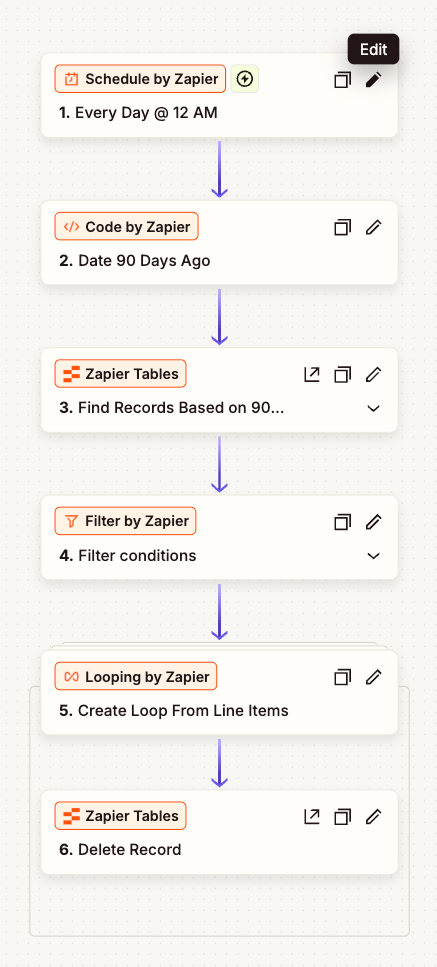
This Zap keeps your Zapier Tables clean by automatically deleting any record older than 90 days. It runs every day at 12:00 AM, finds stale rows, and removes them so dashboards, lookups, and reports stay fast and relevant.
2) Workflow Steps
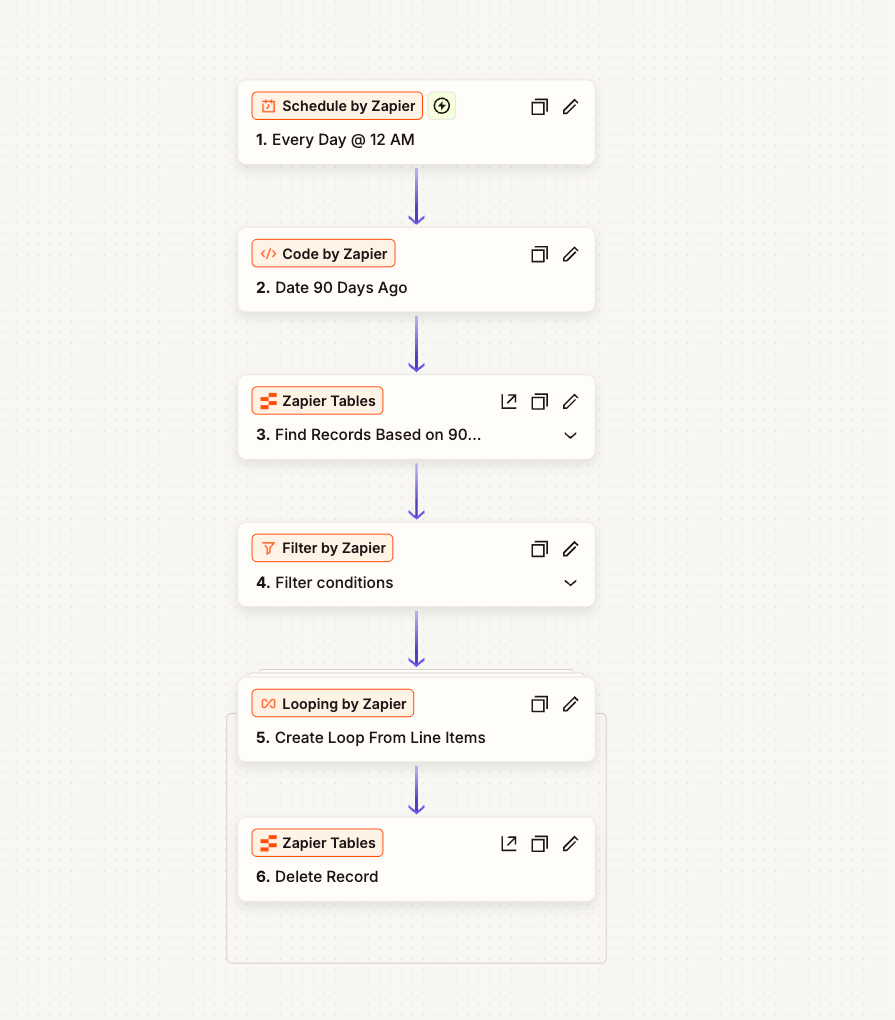
- Schedule by Zapier – Trigger daily at 12:00 AM.
- Code by Zapier – Calculate the cutoff timestamp (now minus 90 days) and format to ISO 8601.
// Output key: cutoff const days = 90; const cutoff = new Date(Date.now() - days*24*60*60*1000).toISOString(); return { cutoff }; - Zapier Tables – Find Records – Query your table for rows where
created_at(or the chosen date field) is beforecutoff. - Filter by Zapier – (Optional) Add business rules like
Status != Activeto avoid deleting in-flight items. - Looping by Zapier – Iterate through the found record IDs.
- Zapier Tables – Delete Record – Remove each matching row.
- Tip: During testing, replace “Delete Record” with a Slack/Email step for a 2–3 day “dry run.”
Safeguards
- Export a weekly CSV backup of the table (Zapier Tables → Export) or mirror rows to Google Sheets/Drive.
- Log each deletion to Slack/Email with the record ID and timestamp for audit.
3) ROI
- Time saved: Eliminate manual cleanups (often 1–2 hrs/month) → ~12–24 hrs/yr back to the team.
- Performance: Smaller tables yield faster lookups and fewer Zap timeouts; expect 10–30% snappier list/search steps.
- Data quality: Less clutter = clearer reporting and fewer mistakes.
Quick math example:
If an ops lead costs $50/hr and saves 18 hrs/yr → $900/yr in time alone, not counting faster automations and fewer failures.
4) Implementation Timeline
- Build & config: 30–45 minutes
- Dry run (recommended): 2–3 days with notifications instead of delete
- Go live: Same week; monitor logs for the first two midnights
5) Tools Used
- Zapier
- Schedule by Zapier
- Code by Zapier (JavaScript)
- Filter by Zapier
- Looping by Zapier
- Zapier Tables (Find Records, Delete Record)
- (Optional) Slack or Email for deletion logs/alerts
- (Optional) Google Sheets/Drive for rolling backups
 BAEZ TECH SOLUTIONS
Leave a comment