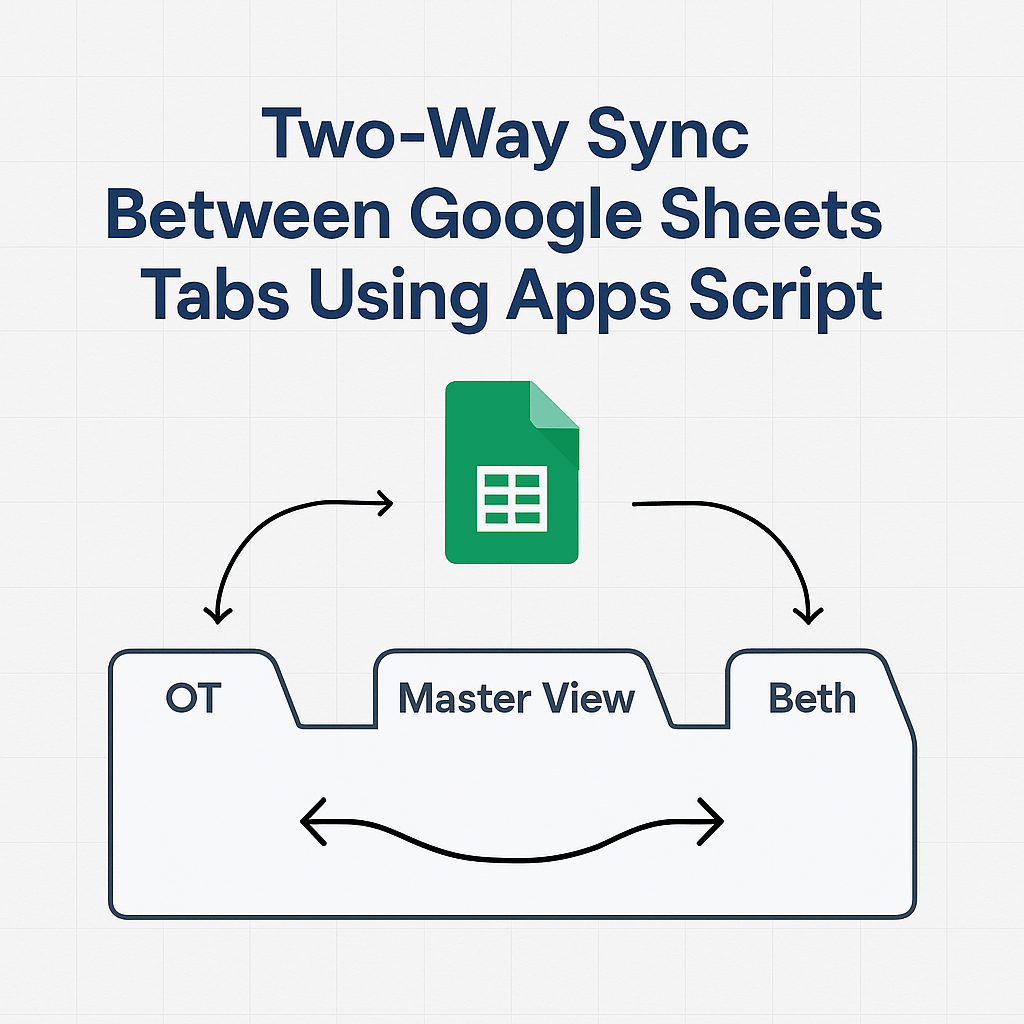
Goal
Create a seamless system where edits to onboarding data automatically sync between a main tracking sheet, individual team member tabs, and a shared “Master View” — all inside Google Sheets.
Overall
My client, who manages onboarding workflows for a growing team, wanted to simplify collaboration by syncing updates across several Google Sheet tabs. The objective: allow any team member to make edits on their assigned tab or the main “OT” tab and see those updates reflected everywhere else — without duplicating data or triggering manual syncs.
Workflow & Design
Here’s the setup I delivered using a custom onEdit(e) Google Apps Script:
🔁 Sync Logic:
- “OT” Tab = Master input for onboarding data
- Team Tabs = One per team member (e.g., Josh, Beth, Alan)
- “Master View” Tab = Read-only mirror of OT
- Range synced = A3:AZ1000
- Headers in Row 1 and 2 auto-sync across all tabs (A–H)
⚙️ Key Functionality:
- Bi-directional sync between “OT” and each team tab based on the name in Column A
- Row-matching based on team member names — avoids misfires
- All edits (typed or pasted) trigger instant updates
- The “Master View” tab mirrors the “OT” tab but remains read-only
- Protects key ranges and prevents cross-tab editing errors
- Runs fully on simple triggers (no installable triggers needed)
Impact
✅ Fewer mistakes – Changes flow to the right place
✅ Less overhead – No more copy-paste to match data
✅ Reliable collaboration – Team members only touch their own rows
✅ Scalable – Add new team tabs easily as the team grows
Bonus Features Added
- Optional auto-creation of missing rows in team tabs
- Sync limited to only columns A through AH for performance
- Tab-specific edit protections to ensure team members don’t overwrite other data
 BAEZ TECH SOLUTIONS
Leave a comment