Overview
When automating workflows in HubSpot using Zapier, precision matters—especially when linking objects like Contacts and Deals. Recently, we encountered an issue with a Zap failing to create the necessary association. Below is a breakdown of the problem, the root cause, and the solution we implemented to fix it.
🔍 Issue Summary
- Step Involved: Action Step 5 – Create Associations
- Error Message: This HubSpot step hit an error Required field “The ID of the object being associated” (fromObjectId) is missing.
- Root Cause: Zapier was not passing the required Contact Record ID (fromObjectId) when attempting to associate a Deal with a Contact. As a result, the Deal was not being correctly linked in HubSpot.
✅ Changes Implemented
1. Contact Lookup & Creation Logic (Action Step 2)
- Before: The Zap searched for contacts using multiple fields. This often returned inconsistent results or matched incorrect records, especially when duplicate or similar entries existed.
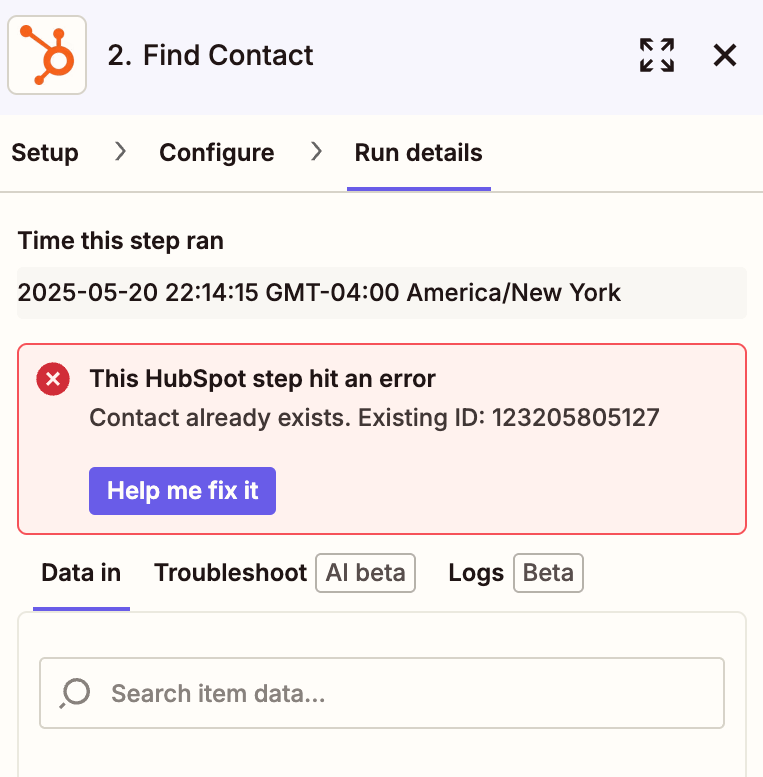
- After:
- The Zap now searches only by email, ensuring consistent results based on a unique identifier.
- If no contact is found, a new contact is created immediately within Step 2.
- This guarantees that a valid Contact Record ID is always available for use in later steps.
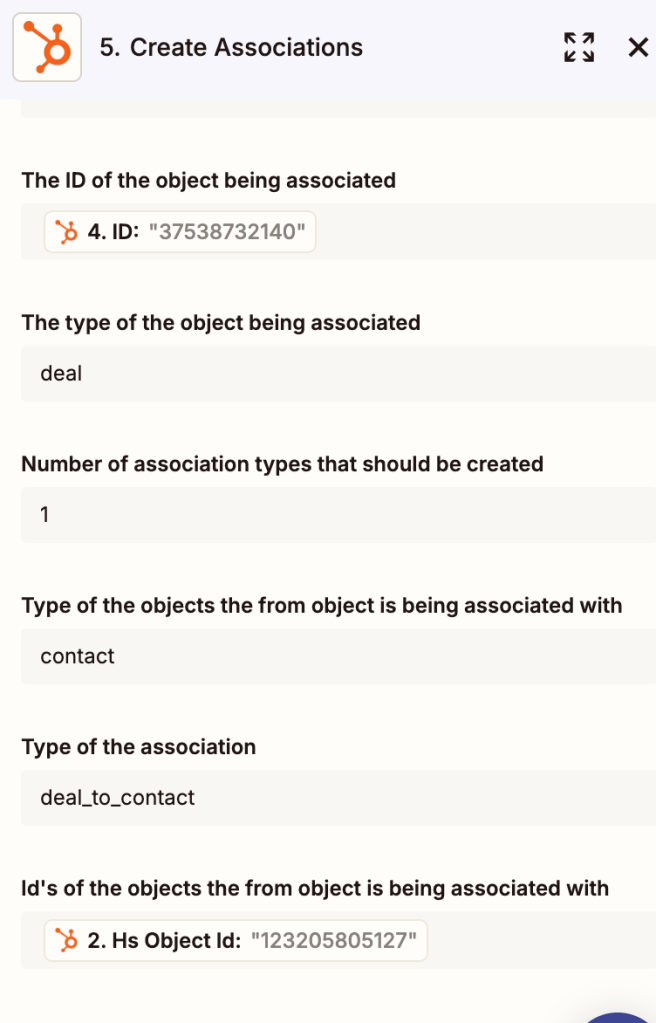
2. Fixing the Association Step
(Action Step 5)
- Before: The Zap did not pass the correct Contact ID to the association step, which caused it to fail.
- After:
- The step now correctly references the Deal ID first.
- Then, it uses the Contact Record ID from Step 2 to establish the association.
- This ensures that every Deal is reliably linked to the right Contact.
🎯 Outcome
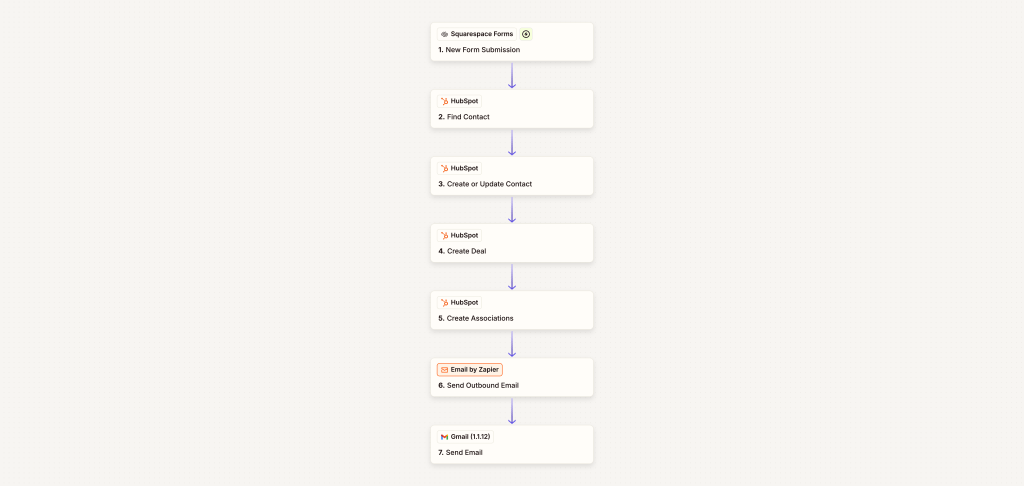
With these changes, the Zap now performs as expected—automatically and accurately associating Deals with the appropriate Contacts in HubSpot. By simplifying the search logic and properly mapping the Record IDs, we’ve eliminated the error and improved the reliability of this workflow.
 BAEZ TECH SOLUTIONS
Leave a comment