🎯 Goal:
Reduce “Complete with Errors” when offboarding users from Salesforce.
During offboarding, if a user no longer exists in Salesforce, the workflow currently fails with a “Complete with Errors” status. Our goal is to eliminate this by verifying user status beforehand.
🔄 Updated Workflow Overview
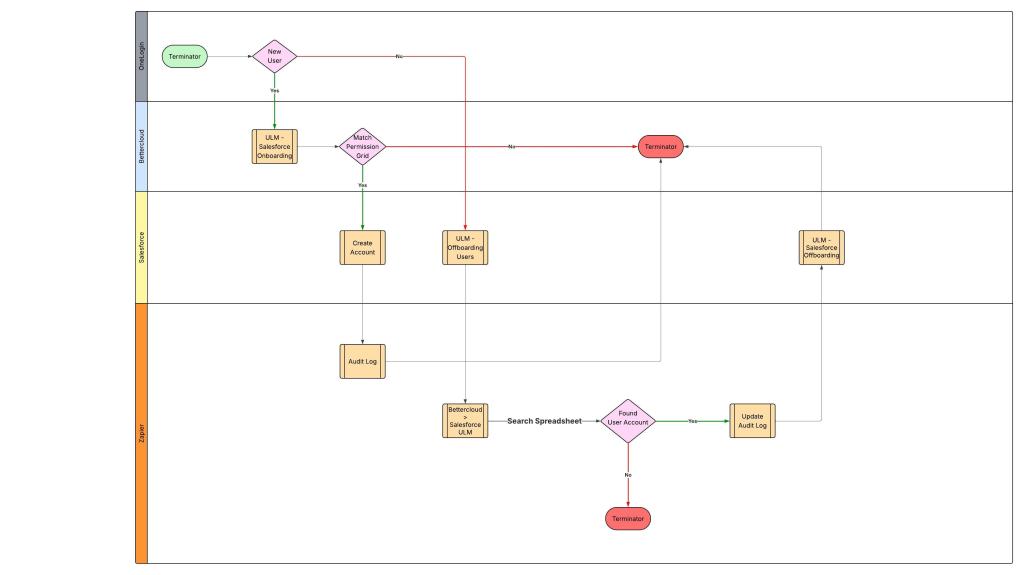
To ensure accuracy and reduce errors, we’ve enhanced both the offboarding and onboarding processes for Salesforce users:
✅ Onboarding Enhancement:
When a new user is created:
- User details are automatically sent to Zapier.
- Zapier logs the user as an active Salesforce user in an audit log (Google Sheet).
- This ensures we maintain an up-to-date list of all active Salesforce users.
🚪 Offboarding Workflow:
- User Suspension in OneLogin
→ Triggers the “ULM Offboarding Users” workflow in BetterCloud. - Webhook Sent to Zapier
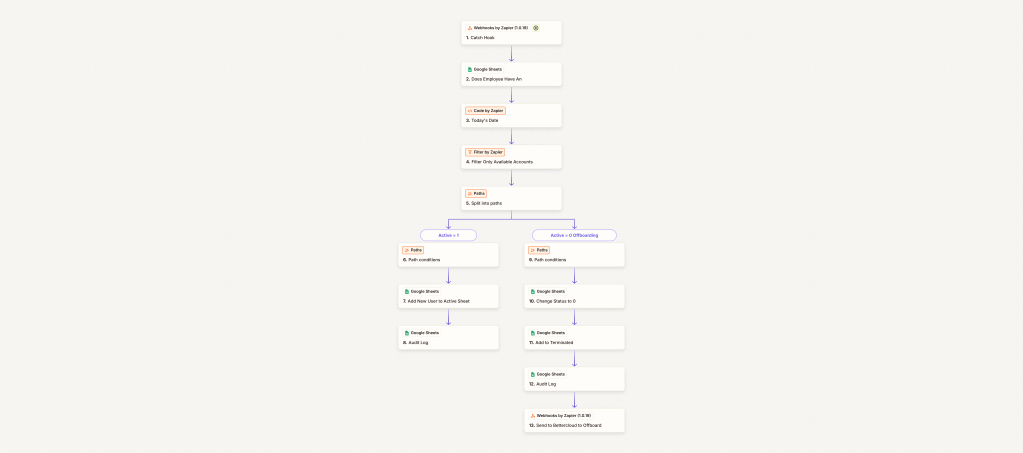
→ Zapier checks the audit log (Google Sheet) for the user’s presence. - Zapier Looks for User in Salesforce Audit Log
- If found:
- Status changes from Active to Suspended.
- Zapier sends confirmation back to BetterCloud.
- Triggers the “ULM – Offboard Salesforce” action.
- If not found:
- Zapier filters out the user.
- No response sent to BetterCloud, avoiding the “Complete with Errors” status.
- If found:
📈 Impact:
- ✔️ Eliminates failed workflow errors during offboarding.
- 🔒 Improves audit reliability with accurate, real-time Bettercloud / Salesforce user tracking.
- 🛠️ Simplifies troubleshooting, reducing manual intervention and IT overhead.
FAQ:
Why not check validation through Bettercloud? The native integration between Bettercloud & Salesforce does not allow for account validation before offboarding.
Swimlane:
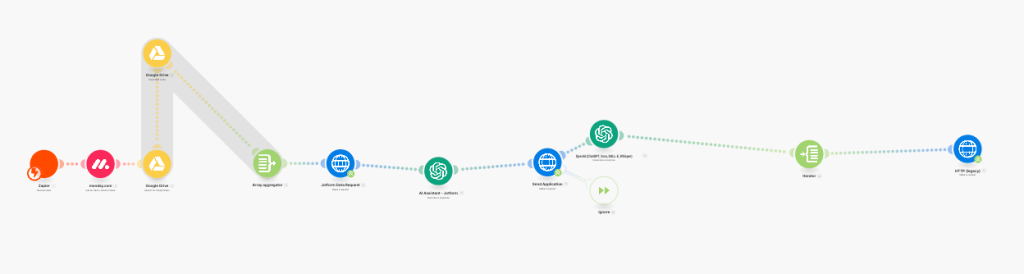
Zapier Workflow
 BAEZ TECH SOLUTIONS
You must be logged in to post a comment.