
In this project, we streamlined the generation of course completion certificates by creating a dynamic Google Docs template—perfectly formatted for automation and ready for seamless PDF output.
🎯 Goal
The client needed a professional, auto-generated certificate template that could be dynamically populated through Zapier. The main objectives were:
Replicate the layout and styling of a custom certificate (including logo, fonts, and formatting) Format the document to A4 paper size Insert dynamic placeholders (e.g., [Name], [CourseTitle1], etc.) to allow automated data entry Output polished PDFs with zero manual editing
🛠 Workflow
1. Template Creation
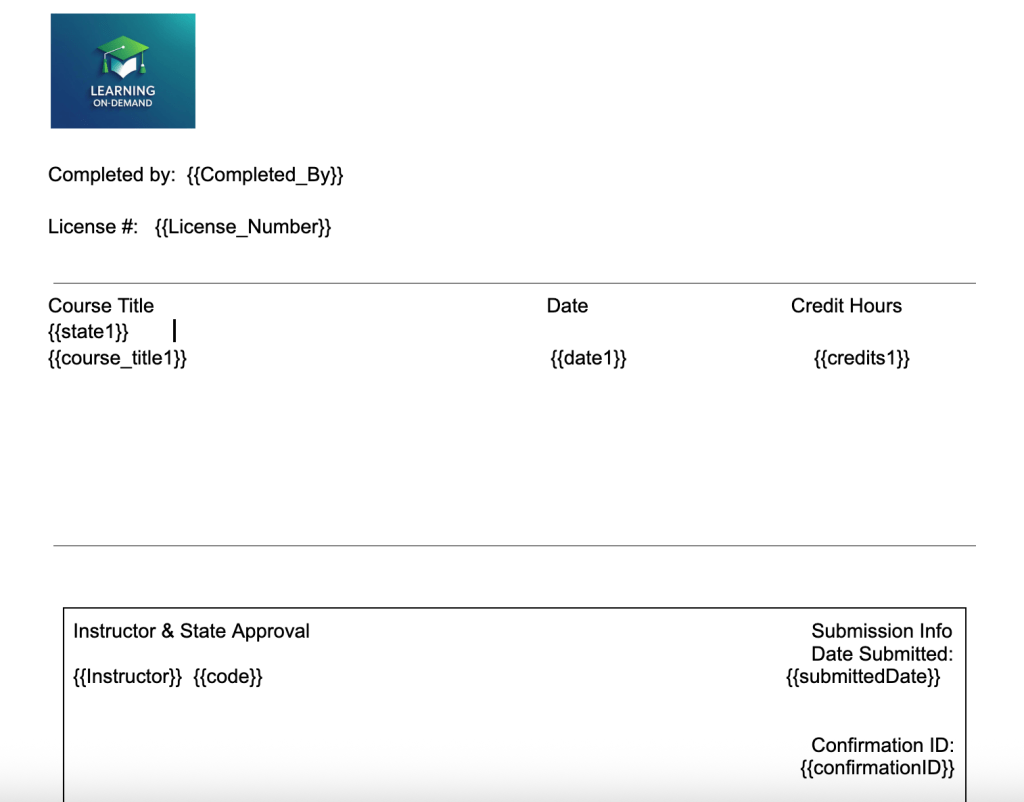
We designed a Google Docs template that mirrored the original certificate design. This included:
Accurate layout and spacing Embedded brand logo and font styling Table structure for up to 5 courses
2. Dynamic Field Insertion
The template was embedded with square-bracket placeholders, including:
[Name], [LicenseNumber], [Instructor] Course details up to 5 entries: [CourseTitle1], [State1], [Date1], [Hours1] Approval and course numbers by state: [ApprovalCodeCA], [CourseNumberTX], etc. Submission metadata: [SubmissionDate], [ConfirmationID]
3. Zapier Integration
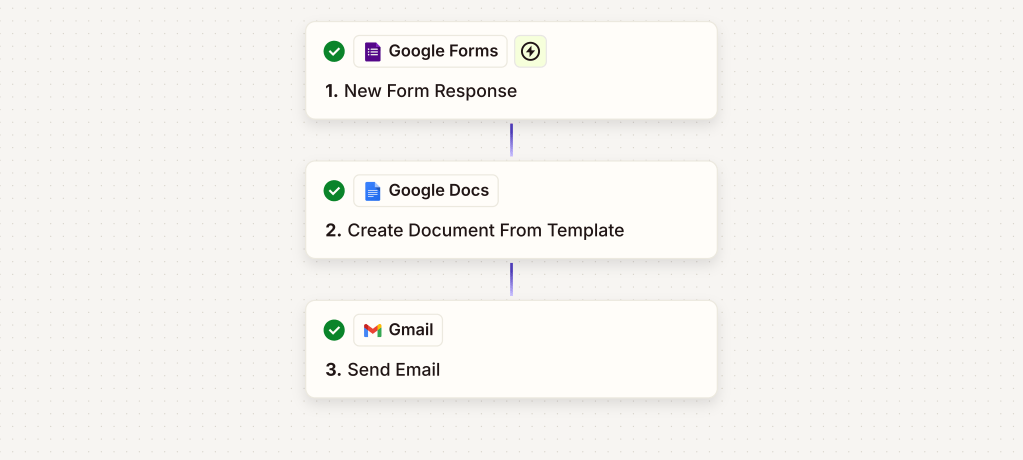
The document was integrated into a Zapier automation using the “Create Document from Template” step. Data from form submissions or a database could instantly populate the certificate and export it as a PDF—ready for delivery.
✨ Impact
This automation eliminated the need for manual certificate editing or formatting. It allowed the client to:
Generate branded, professional PDFs instantly Support varying course counts and state-specific fields Save time and reduce errors by automating certificate creation at scale
Now, what used to take hours per batch takes just seconds.
 BAEZ TECH SOLUTIONS
You must be logged in to post a comment.